UNIT-1: Introduction to Microsoft Access
1. What is Microsoft Access?
Microsoft Access is a database management software used to store and
manage information in an organised way.
2. What is a Database?
A database is an organised collection of related data.
Example: A school database may contain information about
Students, Teachers, Classes, Fees, Attendance, Books, etc.
3. What Makes Up a Database?
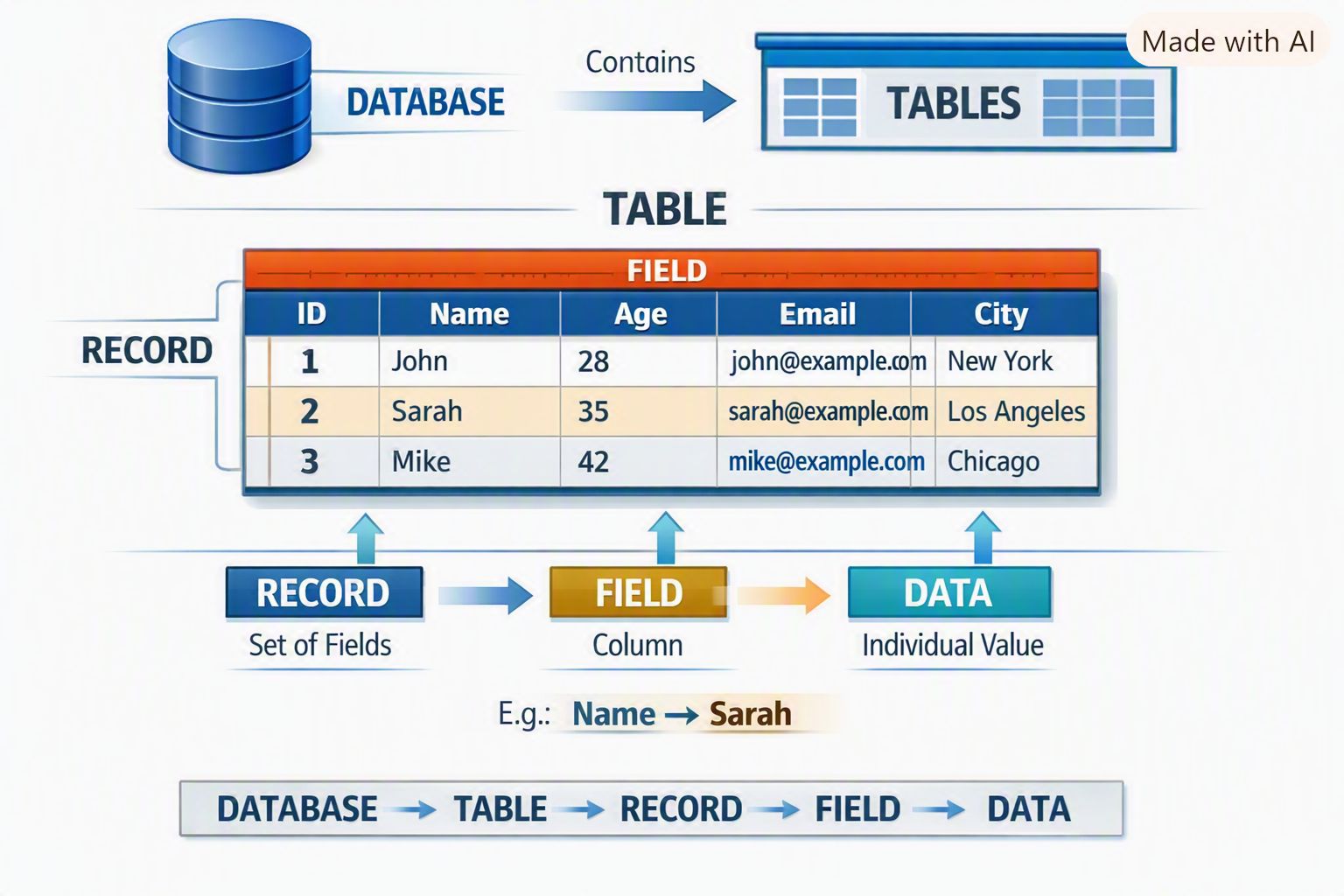
A database mainly consists of tables. A table is made up of fields and
records.
Database → Table → Record → Field → Data
A. What is this structure called?
Table
B. How many fields are there?
5
C. Name the fields.
ID, Name, Age, Email, City
D. How many records are shown?
3
E. What is the first person's name?
John
F. What is the age of Sarah?
35
4. What is a Table?
A table is a collection of related data arranged in rows and columns.
5. What is a Field?
A field is a column in a table that stores a particular type of
information.
6. What is a Record?
A record is a collection of related fields about one particular item or
person.
7. What is Data?
Data are individual values that can be stored and processed.
8. What is an Object in MS Access?
An object is a component of an Access database used to store, enter, find,
display or print information.
9. What are the main objects of MS Access?
The main Objects of MS Access are:
-
Table: A table is a collection of related data arranged
in rows and columns. It is used to store data in a database.
-
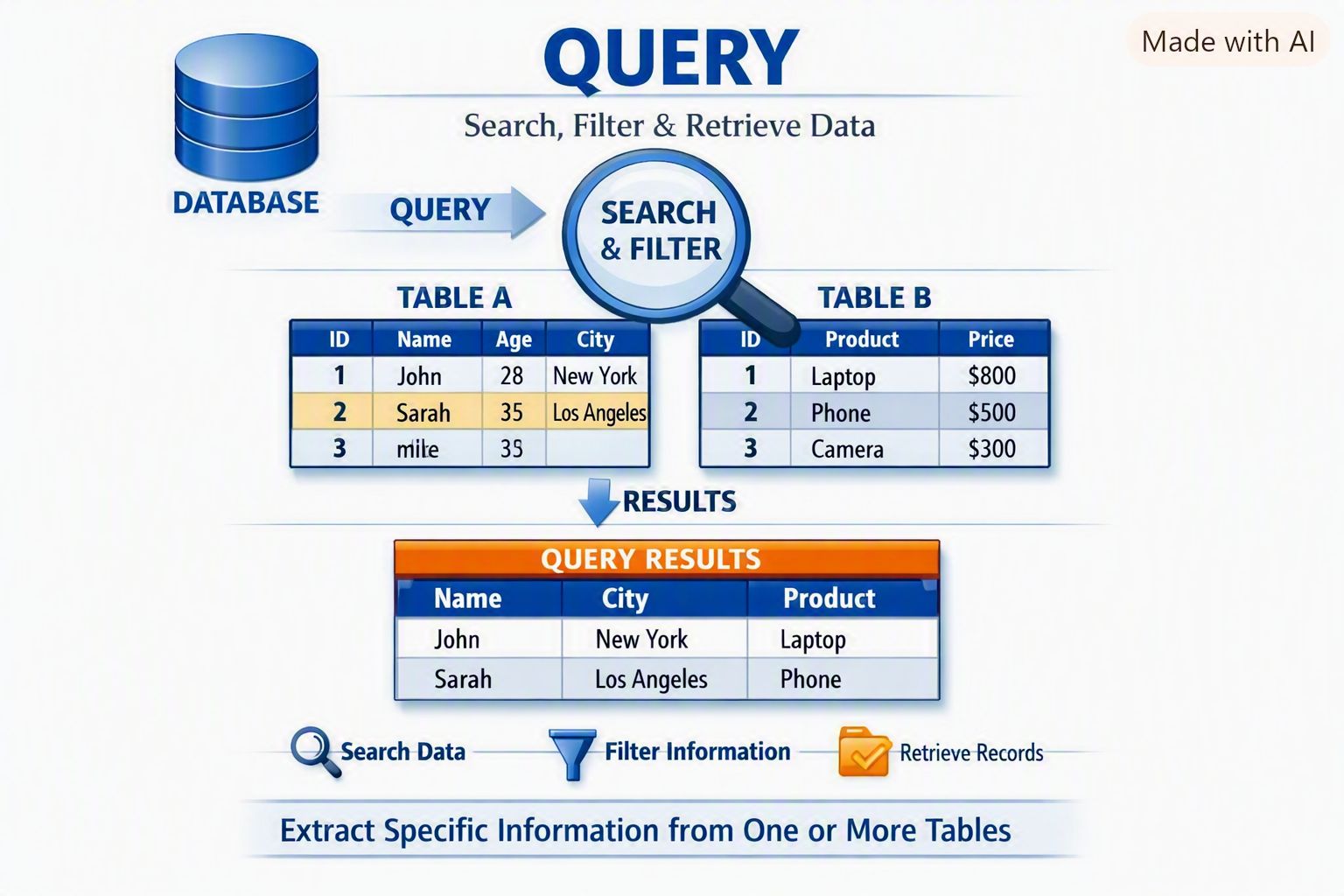
Query: A Query is used to search, filter and retrieve
specific information from one or more tables.
-
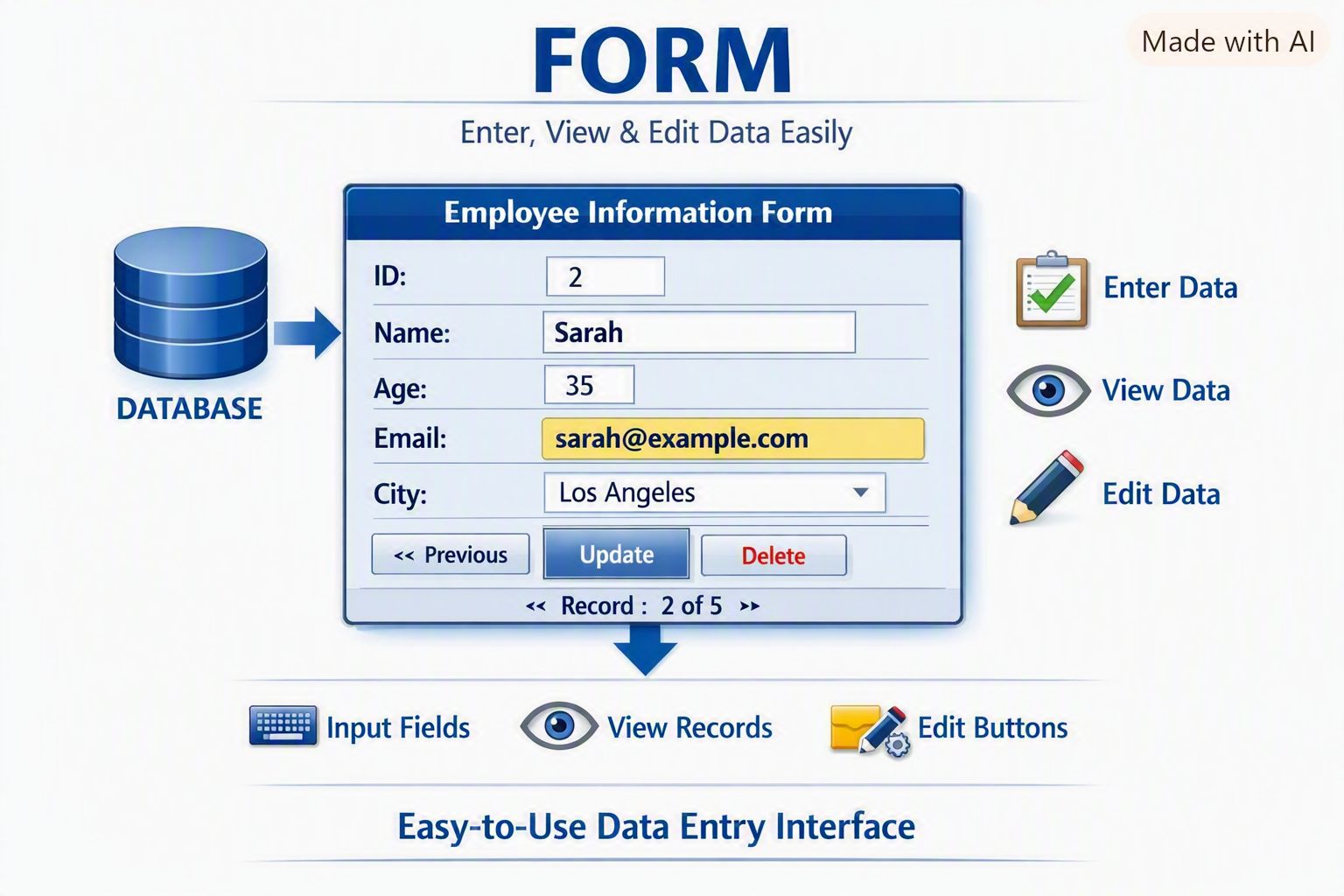
Form: A Form provides an easy-to-use screen for
entering, viewing and editing data.
-
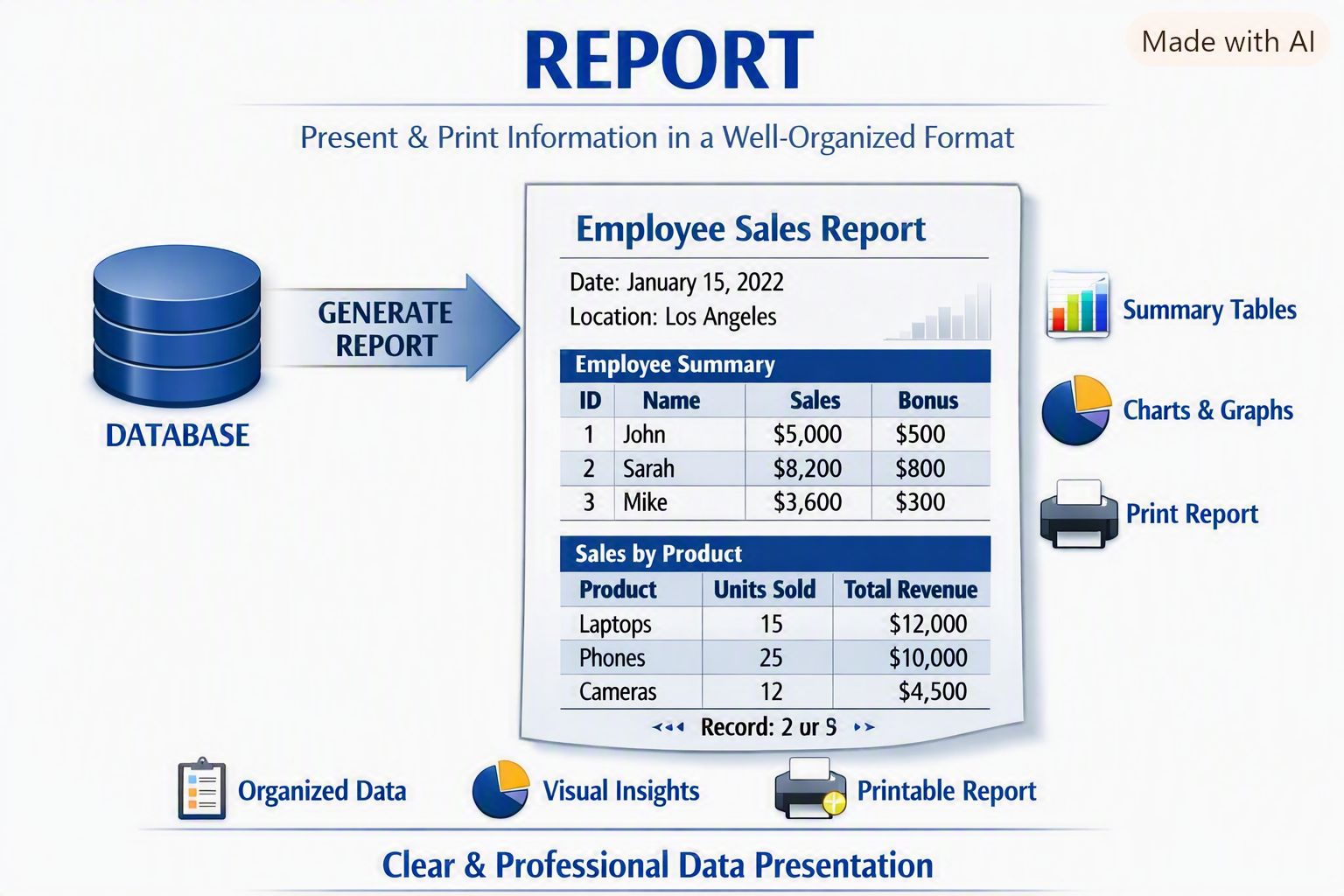
Report: A Report is used to present and print
information in a well-organised format.
Easy Memory Trick
T – Q – F – R
Table → Query → Form → Report
Table stores, Query searches, Form enters, Report prints.
10. Which Access object would you use:
a) To store student information: Table
b) To find students who scored more than 80 marks: Query
c) To enter a new student's information: Form
d) To print the final student list: Report
11. What are the important features of MS Access?
- Easy to use
- Stores large amounts of data
- Easy data entry
- Searching and retrieving data
- Data Sorting
- Data Validation
- Forms make data entry and editing easier
-
Reports help present information in a well-organised and printable form
-
Tables can be related to each other to avoid unnecessary duplication of
data
-
Access can work with other Microsoft Office applications such as Excel
and Word
12. What are the Advantages of Microsoft Access?
- Easy to learn and use
- Data can be stored systematically
- Information can be searched quickly
- Data can be sorted and filtered
- Forms make data entry easier
- Reports can be created and printed
- Related tables can be connected
- Data can be validated
- Suitable for managing school, office and business records
13. How many types of databases are there mainly?
There are four types of databases:
-
Relational Database: Data organized in tables, like MS
Access or MySQL
-
Hierarchical Database: Data organized in a parent-child
tree structure
-
Network Database: Similar to hierarchical but allowing
many-to-many links
-
Object-Oriented Database: Data represented as objects
used in programming